


All-In-One Smart AR Glasses For Professional Industrial Use
Views: 0 Author: Site Editor Publish Time: 2026-05-27 Origin: Site


The industrial sector is experiencing a massive shift. We are moving rapidly from consumer-grade mixed reality experiments directly into operational enterprise deployment. Early wearable tests often relied on tethered devices. Unfortunately, tethered hardware frequently fails during hands-on industrial workflows. Cables introduce severe snag hazards around moving machinery. Pocketed compute packs restrict physical mobility in tight spaces. Untethered all-in-one devices solve these fundamental problems entirely.
An "all-in-one" wearable houses the processing unit, battery, and optical engine inside a single standalone frame. Eliminating external cables is an absolute necessity for workplace safety. It ensures frontline operators maintain full mobility on the busy factory floor. Our primary objective is straightforward. We want to provide IT and Operations leaders an evidence-based framework for hardware selection. You will learn how to evaluate and shortlist rugged devices objectively. Ultimately, this guide helps you drive verifiable operational ROI without ever compromising worker safety or IT security standards.
Key Takeaways
Untethered Mobility: All-in-one AR glasses remove snag hazards, making them the baseline for active industrial environments.
Form vs. Function Trade-offs: Buyers must balance processing power with ergonomic realities (weight distribution, thermal management) for full-shift wearability.
Safety First: Ruggedization (IP ratings, drop tests) and PPE compatibility (hard hats, safety visors) supersede display resolution in field scenarios.
Ecosystem is Critical: Hardware evaluation must include enterprise AR software readiness, MDM (Mobile Device Management) compatibility, and data security compliance.
The Business Case for Untethered "Smart Glasses for Work"
Operational friction destroys user adoption in industrial settings. Tethered systems force workers to route cables beneath protective clothing. You must pocket a heavy compute pack or clip it to a belt. When operators bend over an engine bay or climb scaffolding, dangling cables catch on protruding machinery. This damages expensive equipment and introduces severe safety liabilities. Standalone wearables eliminate this friction. By keeping hands completely free and removing snag risks, these devices serve as highly effective smart glasses for work. The streamlined mobility accelerates tasks rather than hindering them.
Pilots fail when organizations launch them without rigid benchmarks. You must define what constitutes a successful deployment before purchasing hardware. Vague goals lead to endless testing phases. Establish concrete success criteria based on your most pressing operational bottlenecks. Standard benchmarks for industrial smart deployments include:
15% reduction in overall machine downtime during critical failures.
20% improvement in first-time fix rates leveraging remote expert support.
30% decrease in manual data entry errors during routine compliance inspections.
Managing leadership expectations remains equally important. Current technology has physical limits. Standalone all-in-one AR glasses are not designed for continuous eight-hour heavy 3D rendering. Attempting to run complex holographic simulations all day will exhaust the battery and frustrate users. Instead, these devices excel at targeted micro-interactions. They deliver glanceable data precisely when the operator needs it. Think of step-by-step assembly arrows, brief schematic overlays, or live video feeds during a complex repair.
Defining the "Industrial-Grade" Standard: Core Evaluation Criteria
Ruggedization and Environmental Compliance
Consumer devices shatter on the factory floor. Industrial deployment requires a strict baseline of ruggedization. IP66 certification is the minimum standard. It protects the internal electronics against heavy dust ingress and high-pressure water jets. Devices must also pass MIL-STD-810G drop resistance testing. They need to survive repeated falls onto solid concrete from head height. For environments dealing with combustible gases or volatile chemicals, ATEX or hazardous location certifications are non-negotiable legal requirements.
You must also evaluate compatibility with existing Personal Protective Equipment (PPE). A wearable is useless if it prevents an operator from wearing a required safety helmet. Evaluate the mounting mechanisms carefully. The device should clip securely onto standard hard hats. It must sit comfortably alongside safety goggles and heavy-duty ear protection without breaking the acoustic seal.
Environmental Factor | Required Certification/Standard | Operational Impact |
|---|---|---|
Dust and Liquid Exposure | IP66 or IP67 | Allows device washing and usage in heavy manufacturing. |
Impact and Shock | MIL-STD-810G (2-meter drop) | Prevents optical engine misalignment after accidental drops. |
Explosive Atmospheres | ATEX Zone 1 / Class 1 Div 1 | Ensures the device will not ignite volatile chemical environments. |
Acoustics and Voice Interface in High-Noise Environments
Heavy industry is loud. Stamping presses, turbine engines, and industrial HVAC systems drown out human speech easily. Navigating a tiny user interface via buttons is impossible while wearing heavy work gloves. This makes voice control an operational necessity. Effective hardware requires sophisticated multi-microphone arrays paired with aggressive active noise cancellation (ANC).
The system must filter out background chaos to isolate the wearer's voice. Cloud-based voice recognition often fails because factory Wi-Fi networks suffer from dead zones. Therefore, reliable offline voice commands are mandatory. True hands-free operation demands a device capable of executing voice triggers seamlessly, even while standing next to machinery generating 95dB of continuous noise.
The Industrial AR Display System
Optical requirements change drastically depending on the work environment. Indoor warehouse picking relies on standard brightness levels. Outdoor construction surveying requires an industrial AR display capable of outputting extreme brightness. Without sufficient nits, direct sunlight washes out the interface entirely. Evaluate the specific lighting conditions of your primary use case before reviewing optical specifications.
Hardware vendors typically utilize monocular or binocular waveguide displays. Monocular screens sit over one eye, presenting a flat 2D dashboard. Binocular screens project graphics across both eyes for 3D spatial awareness. Regardless of the chosen format, the optics must never obstruct the operator's peripheral vision. Blocking situational awareness introduces severe safety risks. The display must provide clear readability without causing spatial disorientation or motion sickness during active walking.
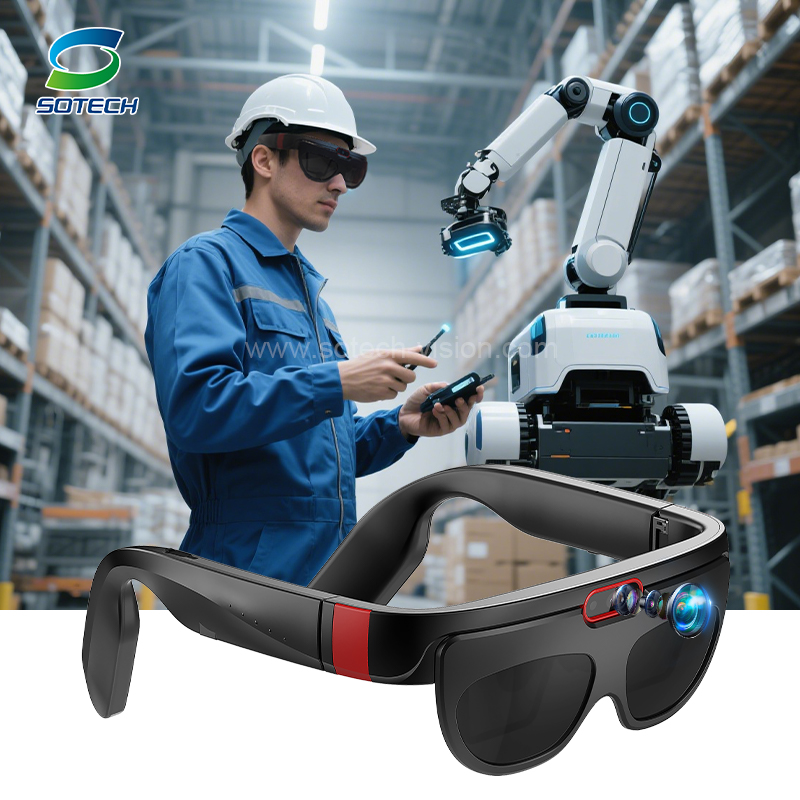
Ergonomics vs. Power: The Reality of a Professional AR Device
Balancing processing capability against human comfort is the hardest engineering challenge in enterprise wearables. The physical toll of a front-heavy headset is immense. When you pack the processor, camera, display, and battery over the nose bridge, you alter the wearer's center of gravity. This forward leverage strains the cervical spine. Neck fatigue accumulates rapidly over long shifts, leading to outright user rejection.
A well-engineered professional AR device actively solves this weight distribution problem. By moving the battery compartment to the rear of the headstrap, engineers create a physical counterweight. This balanced approach drastically reduces muscle fatigue. It transforms an uncomfortable gadget into a viable full-shift tool.
Thermal management presents another skeptical reality. Enterprise workflows often require demanding applications. Streaming live high-definition video to a remote expert taxes the CPU and communication modems heavily. High processing tasks generate significant heat. Because wearable units rely on passive cooling without internal fans, that heat must dissipate safely. You must evaluate how the vendor handles thermal throttling. As temperatures rise, poorly designed devices either overheat and shut down or transfer uncomfortable heat directly against the wearer's skin.
You must completely reject the "all-day battery" marketing myth. The physical limits of current lithium-ion technology make a lightweight, eight-hour battery impossible under heavy usage. Intensive applications drain internal cells in just a few hours. To maintain continuous workflows, hot-swappable battery architecture is mandatory. A frontline operator must be able to eject a depleted cell and insert a fresh one without powering down their industrial smart glasses or losing their live video connection.
Enterprise AR Security, MDM, and Software Ecosystem
Hardware alone solves nothing. IT departments view any new connected hardware as a potential network vulnerability. You must frame the headset exactly as you would a corporate smartphone or laptop. It acts as an endpoint on your secure network. Consequently, it requires robust Mobile Device Management (MDM) support right out of the box. Security teams need the ability to provision credentials, push remote updates, and wipe stolen devices instantly using standard platforms like Microsoft Intune or VMware Workspace ONE.
Evaluate the underlying operating system carefully. Most enterprise wearables run on a modified version of Android AOSP. This removes the bloatware of Google Mobile Services while retaining deep developer flexibility. A mature Independent Software Vendor (ISV) network is absolutely crucial for rapid deployment. Custom app development is expensive and slow. Organizations need access to out-of-the-box software solutions for immediate value. Verify whether the hardware natively supports leading communication applications like TeamViewer, Cisco Webex, or specialized proprietary workflow platforms.
Deploying enterprise AR requires strict attention to data governance. Industrial operations deal with highly sensitive information. Facilities manage unreleased product designs, proprietary factory schematics, and sensitive compliance records. You must highlight security protocols governing offline caching. Local data storage needs strict encryption. Furthermore, the transmission of any live video feeds or schematic overlays back to your central servers must utilize robust end-to-end encryption protocols.
Structuring Your Pilot: Risk Mitigation and Shortlisting Logic
Many organizations purchase hardware, test it briefly, and then abandon it. This cycle is known as "pilot purgatory." To avoid this expensive trap, implement a rigorous three-step validation framework before authorizing a fleet-wide purchase.
Lab Test: Confine the device to the IT department first. Validate network security, MDM enrollment, and software integration far away from the factory floor.
Controlled Field Test: Hand the device to a small group of experienced workers. Focus entirely on ergonomics, UI navigation, and safety compliance in a real environment.
Localized Deployment: Roll out the solution to a single operational shift. Measure the impact against your predefined success criteria to prove verifiable ROI.
User adoption risks often derail great technology. Frontline worker skepticism is completely natural. They view complicated new gadgets as a hindrance to their daily quotas. The chosen professional AR headset must feel intuitively simple. If an operator requires a multi-day training course just to log in, the pilot will fail. Adopt a strict "turn on and work" philosophy. The interface should rely on simple voice commands and clear visual cues to overcome organizational change resistance.
When selecting vendors, do not test identical designs. Shortlist two or three distinct form factors based on your primary workflow requirements. A simple monocular device works perfectly for hands-free checklists. Conversely, complex 3D CAD overlays demand a binocular system.
Feature Comparison | Monocular Assisted-Reality | Binocular Holographic AR |
|---|---|---|
Display Style | Single 2D screen positioned below/above the eye. | Dual lenses projecting 3D spatial graphics. |
Best Use Case | Remote assistance, checklists, text instructions. | Complex 3D CAD manipulation, spatial training. |
Battery Life | Generally longer; less processing power required. | Shorter; drains quickly due to heavy 3D rendering. |
Situational Awareness | Excellent; peripheral vision remains unobstructed. | Good, but digital overlays can distract from physical hazards. |
Conclusion
Evaluating industrial wearables requires a pragmatic mindset. The best device is rarely the one boasting the highest consumer-grade specifications. True enterprise value comes from durability and usability. The winning hardware survives extreme environmental conditions, integrates securely with rigid IT networks, and earns the trust of frontline workers through intuitive design. Balanced weight distribution and hot-swappable batteries will always outweigh sheer pixel density on the factory floor.
Your immediate next action is clear. Pause any hardware purchases and conduct a thorough workflow audit. Sit with your operators and map out exactly where communication bottlenecks occur. Define the precise software requirements needed to solve those specific problems. Once you establish the software necessity, you can confidently issue an RFP and order evaluation hardware kits that align perfectly with your operational realities.
FAQ
Q: Can workers wear all-in-one AR glasses over their prescription lenses?
A: Yes. Most industrial models feature deep profiles specifically designed for standard over-the-glass (OTG) clearances. This allows operators to wear everyday glasses underneath safely. Some premium vendors also supply custom optical inserts. You can snap prescription lenses directly into the wearable frame, ensuring perfect visual acuity without layering multiple pairs of glasses.
Q: Do these headsets require a constant Wi-Fi or 5G connection to function?
A: No. Enterprise hardware utilizes an offline-first capability. You download standard workflow guides, training modules, and maintenance checklists directly into local storage. Workers access this cached data deep inside dead zones. A constant connection is only necessary when initiating live remote assistance calls or synchronizing massive schematic updates.
Q: How long does the battery actually last during a remote video call?
A: Live video streaming taxes processors heavily. During a continuous two-way remote assist call, realistically expect 1.5 to 3 hours of runtime before depletion. This specific physical limitation makes a hot-swappable battery ecosystem mandatory. Workers simply click a fresh battery into the frame mid-call, maintaining the workflow without dropping the remote connection.


