


AR Remote Collaboration: Enterprise Solutions Guide
Views: 0 Author: Site Editor Publish Time: 2026-05-01 Origin: Site


Introduction
A remote expert cannot fix a machine by guessing. They need live video, clear audio, workflow data, and a stable connection to the person in front of the asset. This guide shows how AR remote collaboration works when paired with remote collaboration for enterprise collaboration.
What AR Remote Collaboration Solves
Practical Context
AR remote collaboration connects an onsite worker with an offsite expert through live video, audio, annotations, and shared task context. It reduces the gap between seeing a problem and receiving expert guidance.
Performance Factors
Traditional remote support often depends on phone calls, photos, or delayed reports. AR smart glasses improve this by letting the expert see from the worker's viewpoint while the worker keeps both hands available.
Buyer Considerations
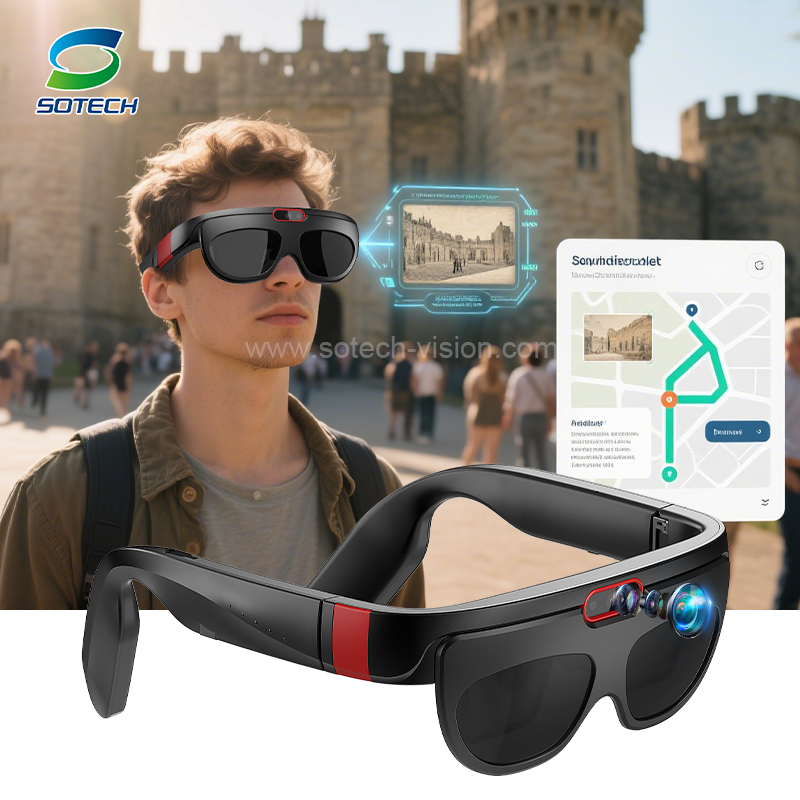
Sotech's all-in-one smart AR glasses page positions remote collaboration as a way to cross time and space for efficient collaboration, which fits inspection, maintenance, training, and enterprise service operations.
How AR Remote Collaboration Works in Practice
Practical Context
A frontline worker wears AR glasses with camera, microphone, speaker, display, and network connection. The remote expert joins through a collaboration platform, observes the live view, and provides guidance through voice or visual prompts.
Performance Factors
The worker can view instructions, confirm steps, record evidence, and share findings without switching between tools. This improves communication quality because the expert is no longer relying only on verbal descriptions.
Buyer Considerations
For high-risk tasks, the process can support safer decisions by allowing specialists to review conditions before onsite staff take action.
Enterprise Use Cases
Practical Context
In manufacturing, AR remote collaboration helps with machine troubleshooting, production-line support, and quality checks. In energy facilities, it supports inspection and maintenance where travel time can delay action.
Performance Factors
In logistics, supervisors can guide new workers during complex picking or equipment tasks. In healthcare or field emergency services, remote specialists can provide context-sensitive support.
Buyer Considerations
The best deployments begin with a clear workflow: who calls whom, what data is shared, how sessions are recorded, and how outcomes are measured.
Buying Guide for Industrial Buyers
Start with the Application, Not Only the Product Name
A reliable purchase decision begins with the working environment. For materials, buyers should define processing temperature, binder chemistry, particle size requirements, storage conditions, and final performance targets. For AR devices, buyers should define work scenarios, connection environment, wear time, data workflow, and software requirements. A product name is useful, but it is not enough to qualify a technical solution.
Review Documentation and Validation Samples
Documentation helps teams compare suppliers on more than marketing language. Useful documents include technical data sheets, safety data sheets, certificates, product specifications, inspection records, and application notes. Samples are equally important because real validation often reveals processing details that are not visible in a product description.
Match Supplier Support to Project Risk
The higher the project risk, the more important supplier support becomes. A standard reorder may only need stable logistics and consistent batches. A new formulation, new device deployment, or export project usually needs technical discussion, sample follow up, and specification alignment. This is where a focused manufacturer such as Sotech can add value by helping buyers connect product choices to real use cases.
For related evaluation, buyers can also review ARISE AI Platform when comparing adjacent product options.
Validation Workflow Before Deployment
Pilot the Device in a Real Task
A polished demonstration is useful, but a real pilot is more valuable. Choose one task that happens often, has measurable pain points, and involves users who will speak honestly about comfort and workflow. For example, a maintenance team can test remote assistance on a repeated inspection route, while a warehouse team can test visual guidance during picking and confirmation.
Measure Operational Signals
The pilot should measure more than user interest. Track task completion time, error rates, support response time, training time, documentation quality, and worker acceptance. These signals reveal whether AR is solving a business problem or simply adding another tool.
Plan for Scale
If the pilot succeeds, the next step is device management, user training, content management, and support planning. Enterprise AR becomes more powerful when instructions, inspection forms, video support, and device policies are managed consistently across teams. A scalable plan prevents early enthusiasm from turning into operational confusion.
Common Mistakes to Avoid
Selecting Hardware Before Defining the Workflow
One common mistake is choosing AR hardware before defining the task. AR remote collaboration creates value only when the device supports a real process. If a buyer does not define who uses the device, what information is displayed, and how results are captured, the project may struggle even with capable hardware.
Ignoring User Comfort
A wearable device is different from a handheld tool. If the glasses are uncomfortable, poorly balanced, or difficult to control, workers may resist using them. Comfort, weight, battery placement, prescription support, and audio quality should be tested early.
Treating Software as an Afterthought
AR projects often depend on remote support, data capture, task guidance, and device management. These requirements are software driven. Hardware and software should be evaluated together from the beginning, especially for enterprise environments.
Anonymous Competitor Comparison
This comparison uses anonymous references for comparable AR device or enterprise wearable solutions.
Specification | Sotech solution Reference | Competitor A | Competitor B | Industry Average |
|---|---|---|---|---|
Primary use | Enterprise and professional deployment | Consumer entertainment | Single task field use | Mixed positioning |
Workflow fit | Remote support, inspection, training, data capture | Media and lifestyle use | Basic visual assistance | Application dependent |
Hardware design | Camera, display, audio, sensors, connectivity | Display focused | Camera focused | Varies by model |
Software support | Platform and enterprise integration path | App only support | Limited software layer | Moderate support |
Deployment value | Designed for repeatable operational tasks | Personal use | Small team use | Depends on environment |
Technical Specification Checklist for AR Remote Collaboration
Evaluation Item | Why It Matters | Recommended Review Point |
|---|---|---|
Display system | Determines readability, visual comfort, and information density | Review resolution, brightness, FOV, and optical design |
Camera and sensors | Enable inspection, recognition, recording, and remote diagnostics | Confirm camera quality, sensor set, and use case fit |
Audio performance | Supports remote collaboration in active work environments | Evaluate microphone pickup and speaker clarity |
Connectivity | Affects video streaming, data access, and enterprise management | Check Wi-Fi, Bluetooth, network mode, and integration route |
Ergonomics | Determines wear comfort during long tasks | Review weight, balance, nose support, and prescription options |
Software compatibility | Converts hardware into a working business tool | Confirm APIs, management tools, workflow platform support |
Market Trends and Application Outlook
Wearable computing is becoming more practical as display modules, cameras, batteries, processors, and software platforms improve. Enterprise buyers are moving from experiments to focused deployments where AR must support measurable operational outcomes. The strongest demand appears in areas where workers need information while their hands remain available.
Another trend is the connection between device hardware and workflow platforms. A smart headset without software may only be a display. A connected AR system can support task guidance, remote collaboration, data capture, and training records. This is why buyers increasingly evaluate hardware, software, integration, and support as one system.
Regional demand also varies. Some markets focus on industrial inspection and field service. Others focus on consumer smart glasses, healthcare support, education, or logistics. Export ready suppliers need flexible product options, clear specifications, and support for application specific customization.
Conclusion
AR Remote Collaboration: Enterprise Solutions Guide is more than a general product topic. It is a practical decision area where technical details, application goals, supplier capability, and validation discipline all matter. Buyers who define their operating conditions clearly can compare products more accurately and avoid mismatched specifications.
For industrial buyers, the safest approach is to combine product data with sample testing and supplier communication. Whether the project involves functional powder materials or wearable AR systems, the best outcome comes from choosing a solution that fits the application, not just the category name.
FAQ
Q: What is AR remote collaboration?
A: AR remote collaboration uses smart glasses and software to connect onsite workers with remote experts through live visual communication.
Q: How does AR remote collaboration help maintenance?
A: It allows experts to see the asset, guide steps, review data, and reduce delays during troubleshooting.
Q: What hardware is needed?
A: AR glasses with camera, display, audio, sensors, and reliable connectivity are typically needed.
Q: Can AR remote collaboration support training?
A: Yes, experienced staff can guide trainees through real work while observing their viewpoint.
Q: Is software important for AR collaboration?
A: Yes, collaboration software helps manage sessions, annotations, users, and workflow integration.
Q: Which industries use AR remote assistance?
A: Manufacturing, energy, logistics, healthcare, aviation, and field service teams can use it.


